An MVP, or minimum viable product, is the smallest version of your app that lets a real person do the one thing it exists for, so you can learn whether it is worth building further. Most first web apps do not fail because the code was bad. They fail because they were scoped as a finished product, took months, and launched to find that the core idea needed changing. Scoping an MVP well is the skill that prevents that.
There is no official standard for what an MVP is, so this guide borrows from a source that has thought hard about building digital services in stages: the UK government's Service Manual, which splits work into discovery, alpha, beta and live. Its phases were written for public services, but the reasoning applies to a side project as much as to a ministry. Where this guide gives its own rules of thumb, it says so.
Why MVP scope goes wrong
A first app usually starts as a list of features: accounts, a dashboard, notifications, payments, dark mode. Each sounds small. Together they are months of work, and none answers the question that matters early: does anyone want the core thing?
The fix is to start from a problem, not a feature list. The GOV.UK guidance on discovery is direct about this order of work:
Before you commit to building a service, you need to understand the problem that needs to be solved.
It also says, in so many words, "You should not start building your service in discovery." That is a useful discipline for a solo builder who can generate a full app in minutes. Being able to build fast makes it more tempting, not less, to build before you know what to build.
Step 1: write the problem as a user need
The Service Manual suggests writing user needs in a three-part format:
- As a (which type of user has this need?)
- I need, want or expect to (what does the user want to do?)
- So that (why does the user want to do this?)
The important rule in that guidance is that good user needs "focus on the user's problem rather than possible solutions." Its example is someone needing a reminder, not needing an email or a letter. The email is one way to meet the need. It is not the need.
Write one primary need and at most two or three secondary ones. For example: "As a freelance designer, I need to know which invoices are overdue, so that I can chase them before the end of the month." That sentence already rules out dashboards, charts and team accounts.
The guidance also warns that needs should be based on research, not assumptions, and that opinions from people who are not users should be treated as assumptions to test. If you are your own first user, that is a fine starting point, but say it to yourself honestly and plan to talk to at least a few other people who have the same problem.
Step 2: find the one journey that proves it
From the primary need, write the single path a user takes from arriving to getting the outcome. For the invoice example: sign in, add an invoice with a client, amount and due date, see a list where overdue ones stand out. That is the journey. Everything in the MVP should serve it.
A practical test for each feature on your original list: if this feature were missing, could the user still complete the journey? If yes, it is not in the MVP. Applying that to the invoice app:
| Feature | Needed for the journey? | Decision |
|---|---|---|
| Sign in | Yes, invoices are private | In |
| Add and edit an invoice | Yes | In |
| List with overdue highlighted | Yes, this is the outcome | In |
| Email reminders to clients | No, the user can chase manually | Later |
| PDF export | No | Later |
| Team accounts | No, the first user works alone | Later |
| Charts of income over time | No | Later |
| Dark mode | No | Later |
The "Later" column is a backlog, not a rejection list.
Step 3: list your riskiest assumptions
The GOV.UK alpha guidance says "a crucial part of alpha is identifying your riskiest assumptions and testing them." Every app idea rests on a few assumptions, and some are far more likely to be wrong than others. Write them down. For the invoice app:
- Freelancers lose track of overdue invoices often enough to care
- They are willing to enter invoices manually rather than import them
- Seeing the overdue list is enough; they do not need the app to send the chasers
The riskiest one is the assumption that, if wrong, makes the whole app pointless. Your MVP should be designed to test that assumption first. If manual entry is the big risk, the add-invoice form must be fast, and you should watch whether people actually fill it in. If it turns out they will not, you have learned something important for the cost of a small app instead of a large one.
Step 4: decide what "viable" means for you
"Minimum" is easy to over-apply. An MVP that is so bare it cannot be trusted with real data will not teach you anything, because nobody will use it for real. Viable means the core journey works properly. In practice, that means a short list of things that are not optional even in the smallest version:
- Data is saved reliably and each user can only see their own records
- Inputs are validated and errors are shown in plain language
- The app works on a phone screen if your users will be on phones
- There is a way for users to tell you what is missing
Everything else can be rough. Once you start generating code from this scope, five mistakes first-time AI app builders make covers what tends to go wrong next.
Step 5: prototype before you build, if the risk is in the idea
The Service Manual describes alpha as the phase to "try out different solutions to the problems" found in discovery, and tells teams to "build things that are just complex enough to let you test different ideas, not production quality code." It expects teams to throw away code and lots of ideas at the end of alpha.
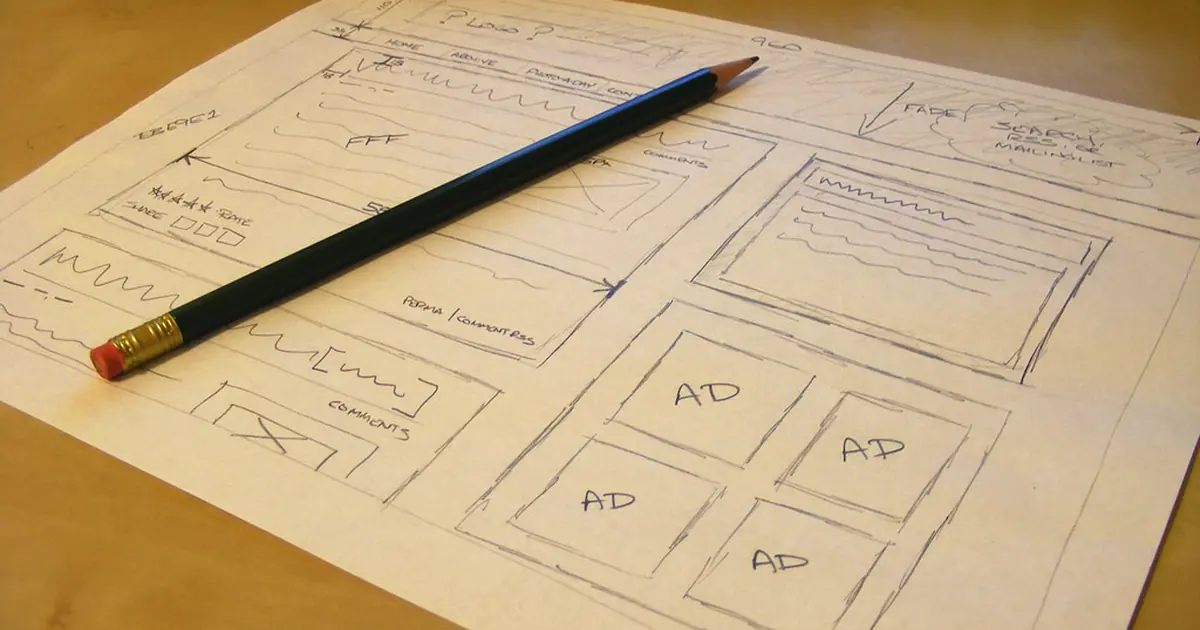
Its page on prototyping explains why: prototyping lets a team explore design ideas much faster and at lower risk than using production code. It notes that sketches are useful for exploring basic ideas, while code prototypes are better for user research because they are more realistic. It also says, plainly, "Do not just copy prototype code into production."
For a solo builder, this means two different things depending on where your uncertainty is:
- If you are unsure the idea is wanted, show people a sketch or a clickable mock-up before writing a real backend. A conversation over a drawing can kill a bad idea in an afternoon.
- If you are sure of the need but unsure of the workflow, build a quick working prototype, watch a few people use it, and be willing to rebuild rather than patch it into the real thing.
Step 6: put a time box on it
GOV.UK suggests discovery typically lasts about 4 to 8 weeks and alpha typically 6 to 8 weeks. Those numbers are for multidisciplinary government teams working full time on large services, so they are not targets for a weekend project. The useful idea is the time box itself: decide in advance how long you will spend before you stop and look at what you have learned.
A rule of thumb for a first app built alone: pick a period short enough that you would not be upset to throw the work away. If the MVP will take longer than that, the scope is too big. Cut from the "Later" column until it fits, not from the "viable" list.
Step 7: release to a few people first
The beta guidance describes starting in private beta by "inviting a limited number of people to use your service," and only later opening up to anyone who needs it. It also says to "iterate the service based on what you learn."
For a first app, that means giving the MVP to a handful of people who have the problem, watching where they get stuck, and only then pulling items from the "Later" column in the order users ask for them.
The discovery guidance makes one more point worth keeping: stopping is a valid outcome. If the research shows the problem is not real or not worth solving, deciding not to continue is a result, not a failure.
A one-page MVP scope
Before you build, you should be able to fill in this page without hedging:
| Item | Your answer |
|---|---|
| Primary user need | As a ..., I need ..., so that ... |
| The one journey | From arrival to outcome in four or five steps |
| Riskiest assumption | The belief that, if wrong, makes the app pointless |
| How you will test it | What you will watch real users do |
| Viable must-haves | Data safety, validation, mobile, feedback route |
| Later list | Everything else, unordered for now |
| Time box | The date you stop and review |
If you need a starting point for the idea itself, our list of app ideas you can build in a weekend has several small-scope ideas to run through this process. Once the scope is fixed, the REST API design basics guide will help you keep the few endpoints the MVP needs consistent from day one.